The Genesis of a Sound Studio
If you’ve been following for a while, you will understand that this guy needs a studio as much as he needs breathing. Since accepting my job at Zap, moved from Montreal to Everett (greater Seattle area), I barely released anything. That’s normal -> Big changes leads to adaptation, which takes a lot of brain power.
Now, I’ve bought a house in Everett, WA. In my life, I’ve never stayed, in average, no more than 2.5 years per place. I’ve always been renting, so I ended up having temporary studios every single time.
While buying a house is no guarantee of permanency, I still wanted to do home improvement anyway, so I went all-in, and design the best sounding studio I could. This is me documenting the journey.
what were the desired specs?
Specifications for the Studio:
- RT60 (room impulse decay) below 0.4 s or 400 ms.
- Flattest 20 Hz to 20 kHz frequency response (time averaged)
- Consistent decay across the frequency range
- No obvious ringing frequencies.
- Lowest distortion possible across the frequency range
- Clean electrical signal, free of ground loops
What are we starting from?
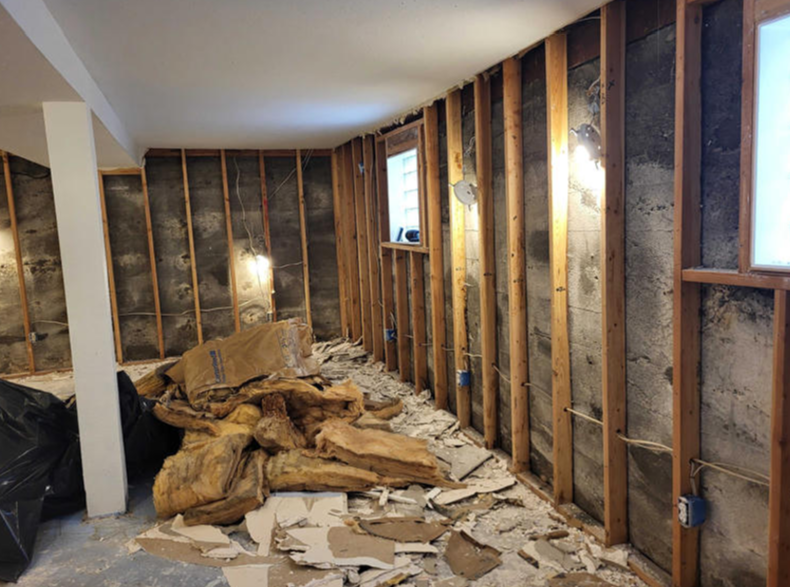
Looked nice when we bought it, but had a lot of Issues:
- Weird shape = Bad acoustics
- Mold under carpet
- Uneven crooked floor
- Rotten leaky window frame
- No moisture barrier
- Very high humidity content
- No heater nor air exchange in the room
How modeling can help us?
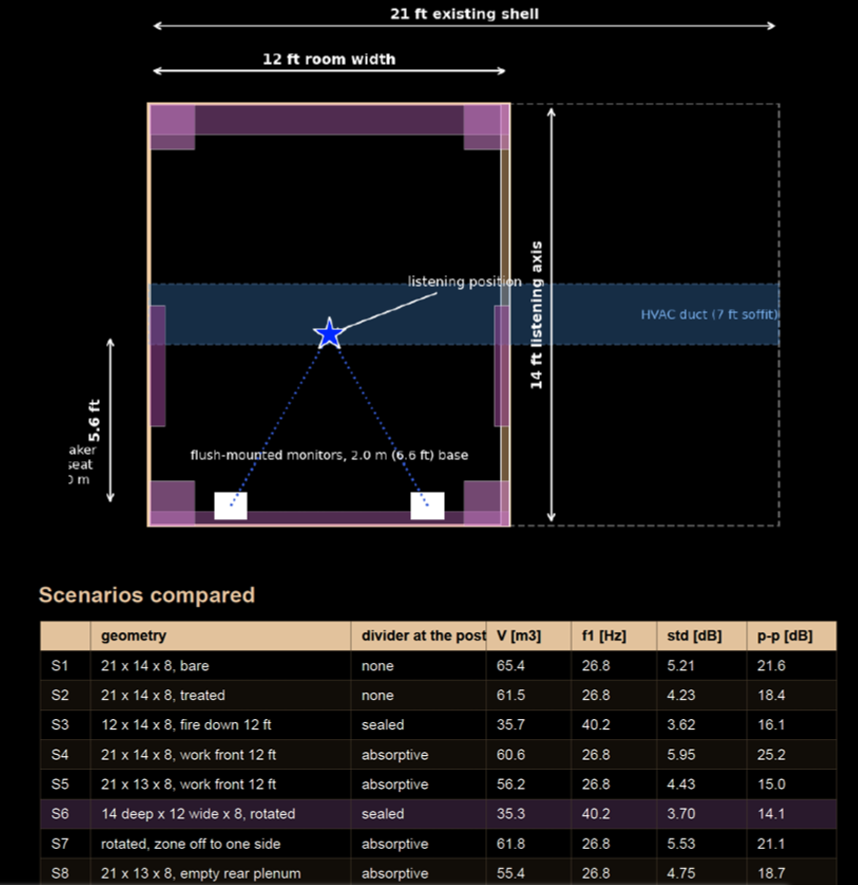
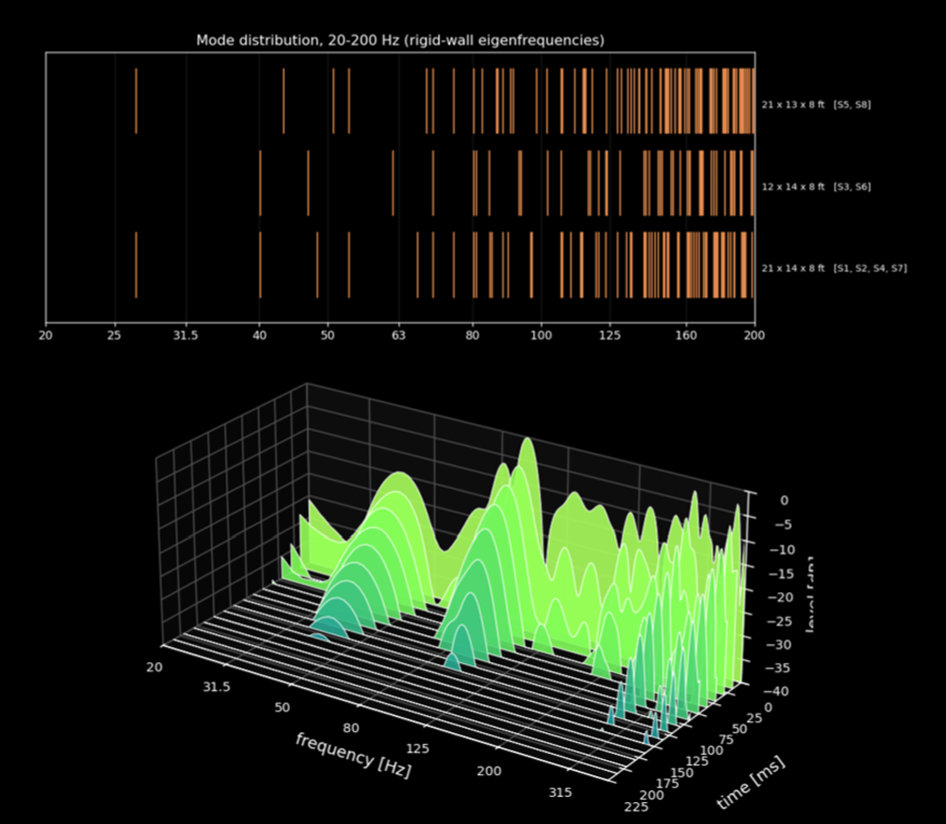
I used computer modeling to maximize my chances of success in terms of acoustics. The original room size had a weird shape and bad ratios (H x L x W) which would have led to standing waves and modal issues.
I simulated 8 different scenarios, and the overall conclusion was that I needed to trim the room, meaning adding a wall to reduce the size of the room. Why? Less room modes, and faster decay response. I tend to prefer a very tight transient response, why? Because it leads to better mixing decisions, such as attack and release times on compressors, etc.
Building the real thing in real life
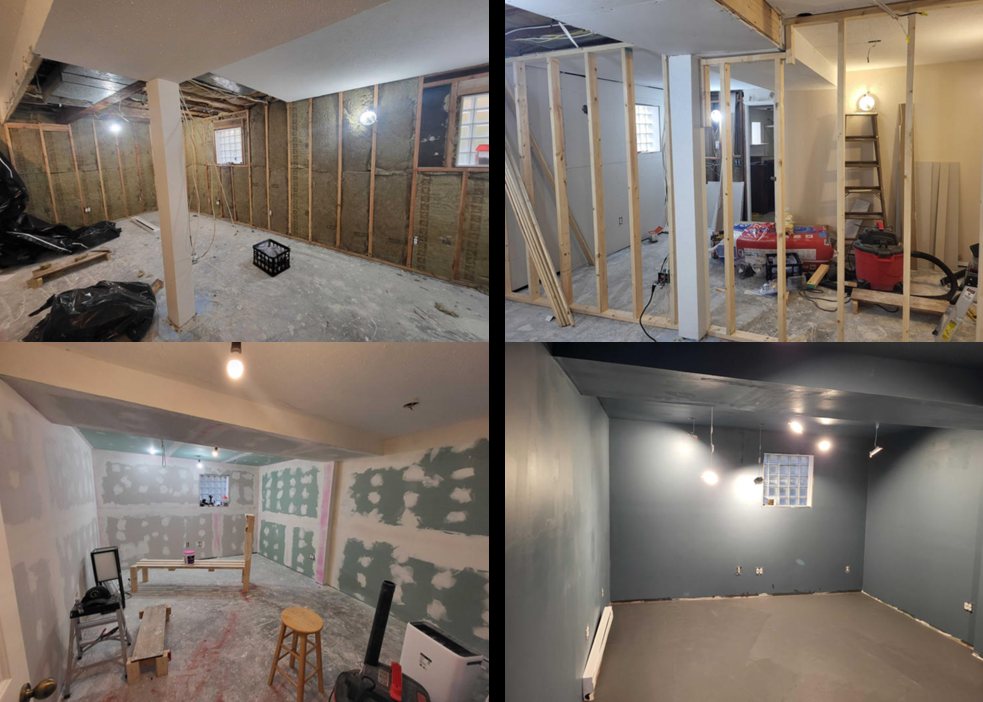
The room needed:
- Proper insulation and moisture barriers
- Separate one room into 2
- Leveling the concrete floor
- Paint
- Add a laminate flooring
The issue is, I was a total newbie at remodelling, thankfully my dad came to help. We spent 10 days together working our asses off!
What about acoustics?
Remember, we want a pretty dead room (RT60 below 300 ms) and a controlled spectrum that is even in duration in the room.
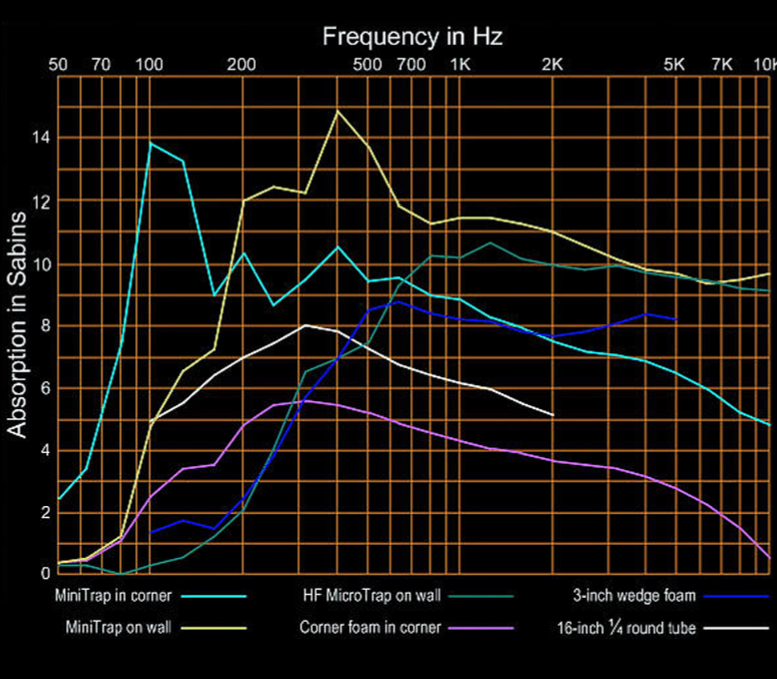
So, I got bass traps, and thick foams…
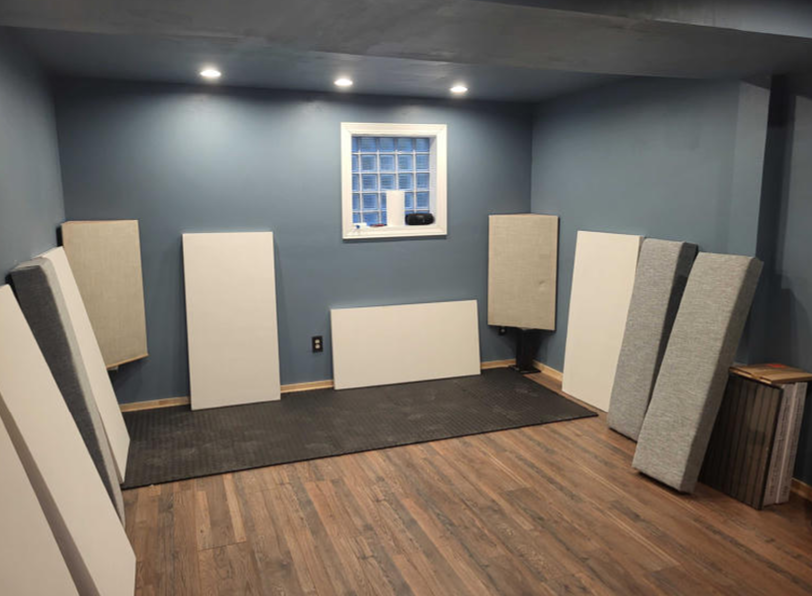
“Final”-ish configuration
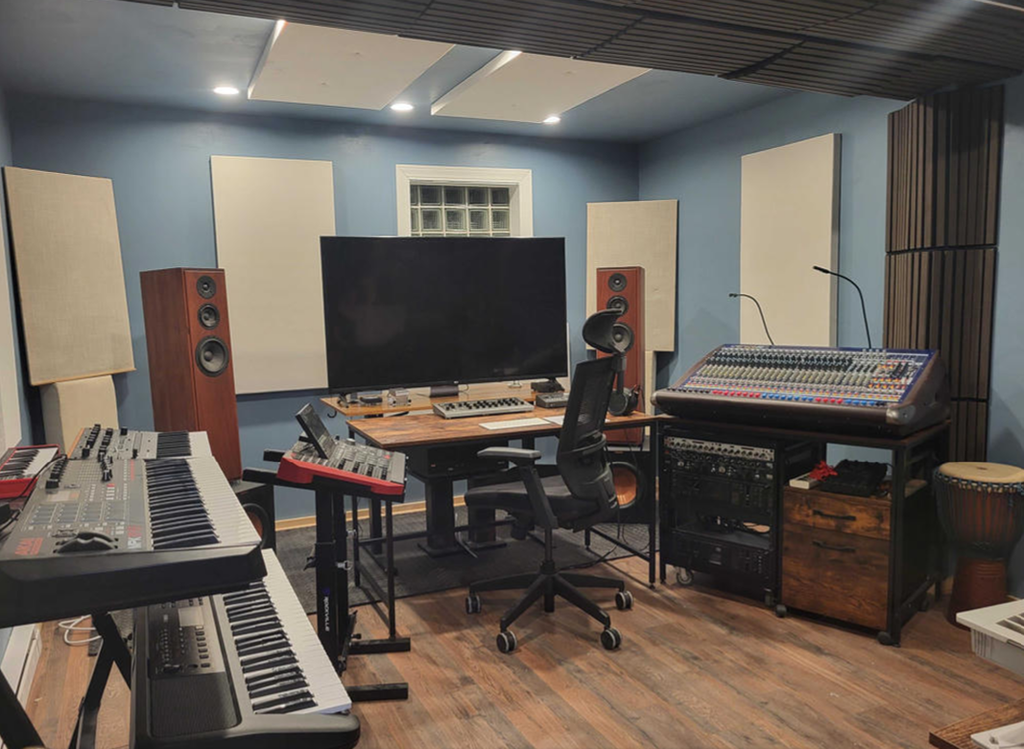
Measurements / How does it sound?
It sounds extremely dead, which can feel a bit awkward at first, but as stated earlier, I prefer tighter than a reverby washy sound.
I made measurement to see how the room actually performs, by setting up a microphone at the engineer’s seat.
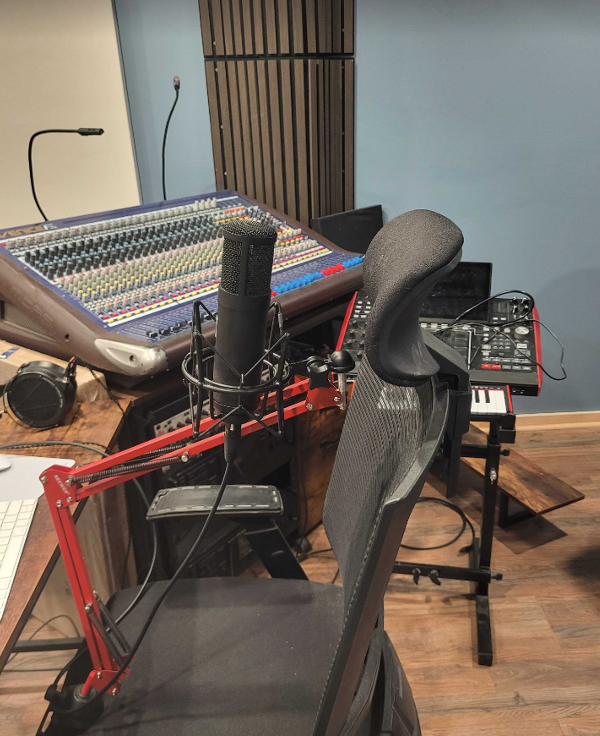
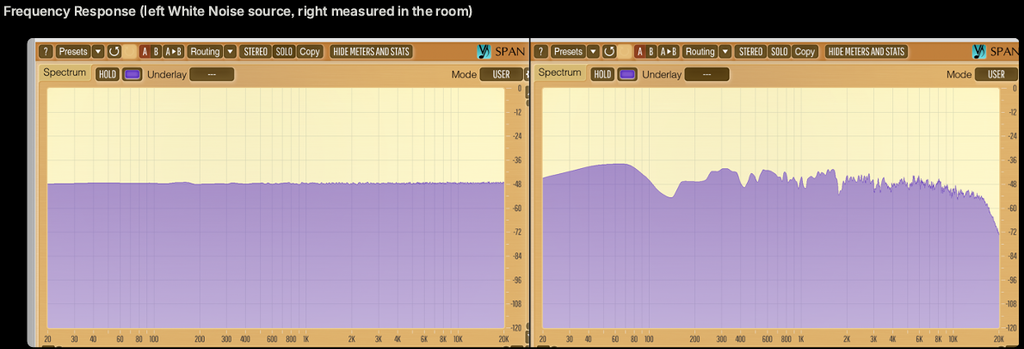
Steady-State frequency response
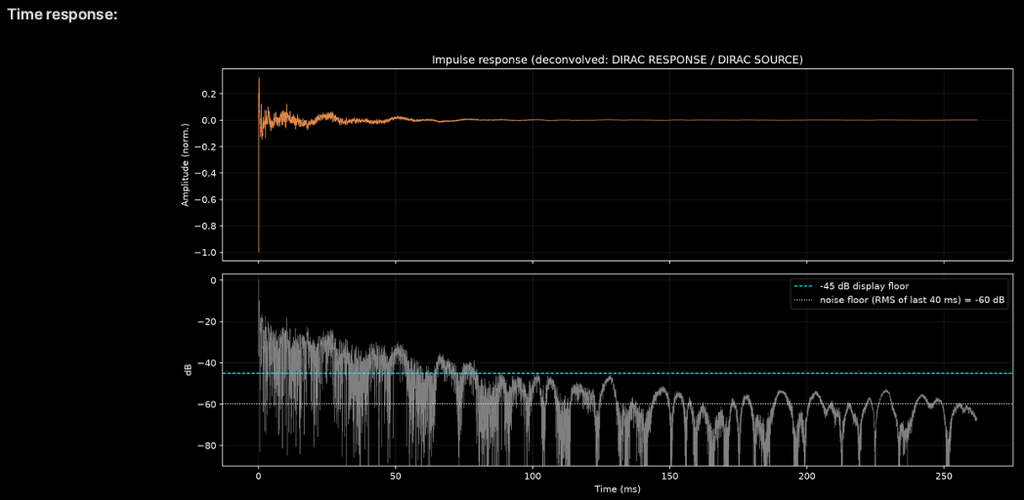
Time Response; some will say it’s too tight, I say it’s excellent…
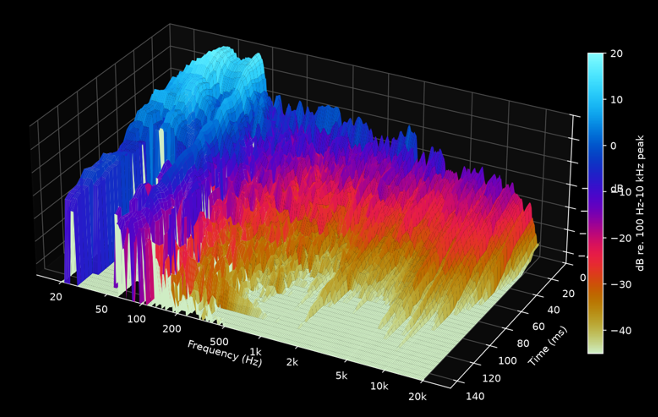
The cumulative decay response shows that the room resonances stops on a dime pretty much from 200 Hz to 20 kHz, which is excellent. Now the subwoofer were not tighten then, we can see that there was way too much low end at the time of the measurement. If anything, one should appreciate the nice colors.
How does it compare with an EBU standard room?
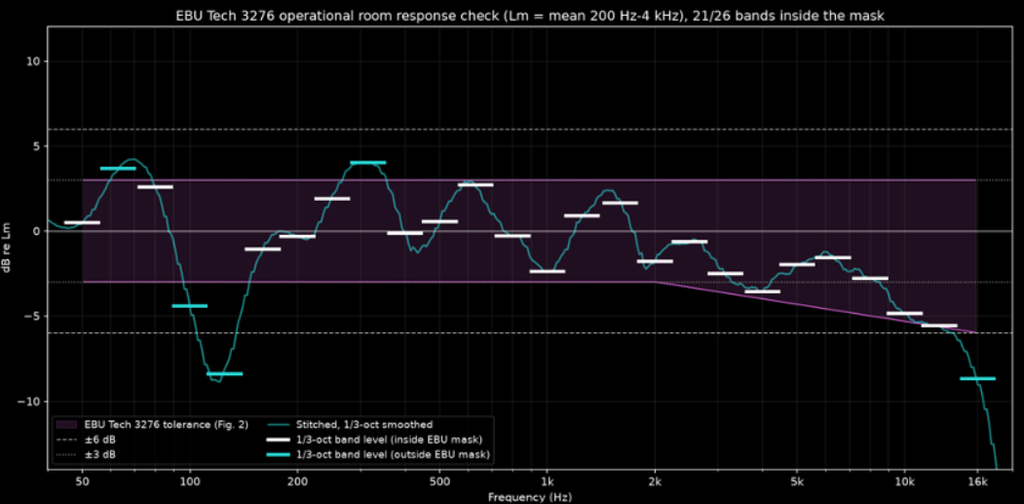
It’s always good to compare with some standard, see where we land. Letʼs first lower the level of the subwoofer, use the EBU TECH 3276 1/3 smoothing and tolerance map
Against EBU standard:
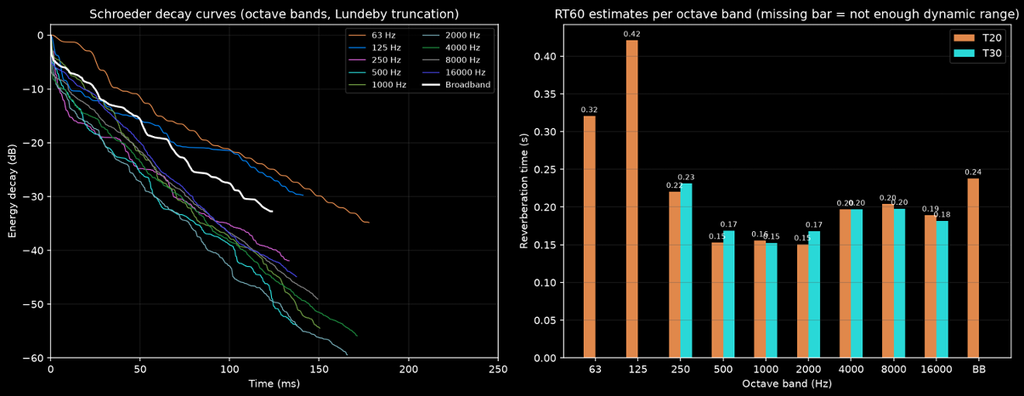
- Reverberation time (RT60) between 0.2 and 0.4 s from 200 Hz to 4 kHz
- Measured ~0.16 s is a bit below that range, so the room is slightly over-damped by EBU standards. Might be okay for what Iʼm trying to do. The 0.15–0.23 s spread across bands fits the ±0.05 s requirement in most bands; only 250 Hz falls just outside it. As per today (2026-10-19), even with all the effort, the ROOM doesnʼt comply with EBU Tech 3276.
- Frequency Response requirement: ±3 dB: not met, because of 7 bands (the 5 above plus 4 kHz and 10–12.5 kHz). ±6 dB: met from 50 Hz to 12.5 kHz except at 125 Hz. Total spread from 50 Hz to 16 kHz is 12.7 dB.
Conclusion: I have a studio now
I feel unstoppable now. I discovered new skills, and I have an incredibly tight room. I’ve already started to make music with it, and it’s like hearing through a microscope. Every single detail is clear. I have made some adjustment on the frequency response, and the 125-250 Hz band remains the most awkward. Besides that, I believe I can trust the room.
Regarding the EBU standard, while worth chasing, at the end of the day, what matters is the music coming out of it. So far, my mixes made in that room translate extremely well elsewhere, which is a good sign I don’t have to worry.
Iʼm personally not too worried about being to damped, as it usually allow us to make better mixing decision. It is true however that it can feel too dead and at first even ackward. Speaker location is a bit too obvious too, since there is no diffusion blurring it. Again, I personally prefer definitely being on the tighter/dead side rather than on the foggy, muddy, diffuse side.
The biggest obstacle to have this room feel like a world-class one is the 125-250 Hz region, where there is definitely something weird going on. I have a feeling this is due to the overlap between the subwoofer and the main tower speakers, although it could also be the room mode (especially the 250 Hz according to simulation above), or the speaker location.
What’s next?
Now I am going to pump out music I’ve been accumulating for over a year…
NeoGenesis404 is coming…